Netify Agent Packet Flow
This document outlines the Netify Agent's traffic pipeline, tracing data from Linux kernel packet acquisition through flow reconstruction and Deep Packet Inspection (DPI). It details how this telemetry drives real-time policy enforcement and powers a modular plugin architecture.
The Problem
Modern networks must selectively prioritize latency-sensitive applications while steering bulk or non-interactive traffic (e.g., BitTorrent or Netflix) through less constrained paths. Achieving reliable policy enforcement and robust network intelligence requires accurate, real-time DPI analysis.
At Layers 2 and 3, network traffic appears increasingly homogeneous. With the majority of flows consisting of encrypted HTTPS sessions delivered from shared cloud infrastructure like AWS, traditional IP and port-based classification has become unreliable.
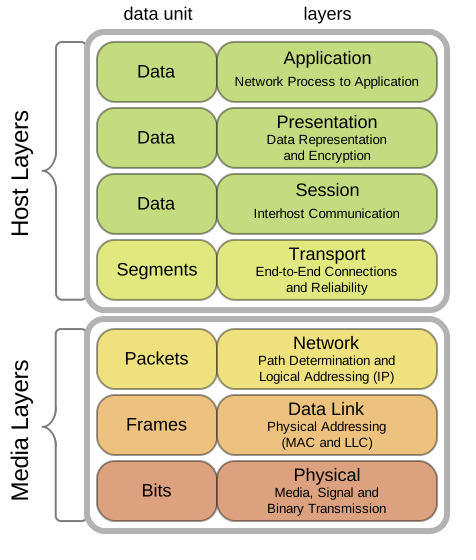
Standard Linux networking subsystems - tc, iptables, and nftables - are highly efficient at enforcing policy but operate primarily at the transport layer. However, they lack the native ability to interpret Layer 7 application semantics. Bridging this gap typically requires building a complex packet-processing pipeline using expensive proprietary software development kits.
Netify streamlines this process by performing high-performance DPI and stateful flow tracking within its core engine. Rather than relying on custom “glue code,” it exposes classification results to standard Linux networking tools through a flexible, modular plugin architecture, enabling real-time integration and extensibility. No coding is required.
Step 1 - Packet Arrival in the Linux Networking Stack
A packet enters the system through a network interface and immediately traverses the Linux kernel networking stack. Netify integrates with native kernel subsystems - including Netfilter, Conntrack, and Netlink - to observe traffic while maintaining accurate connection state. At this stage, the deployment model determines how Netify receives the packet.
Step 2 - Data Acquisition
Netify uses three primary drivers to ingest network traffic: NFQUEUE, TPACKETv3, and PCAP. We optimize each path for specific deployment needs, from high-performance embedded enforcement to offline forensic analysis.
Step 3 - Parallel Capture and Dispatch
After acquisition, the Netify agent assigns packets to interface or queue-specific worker pipelines. The agent:
- Pins capture threads to CPU cores
- Distributes workloads across detection workers
- Processes packets concurrently across flows
This parallel model prevents single-thread bottlenecks and maintains deterministic performance under heavy traffic loads.
Step 4 - Flow Identification
The detection pipeline extracts the packet's 7-tuple:
- Source IP
- Destination IP
- Source port
- Destination port
- Transport protocol
- VLAN ID
- Network interface
Netify computes a canonical hash that normalizes packet direction. Both inbound and outbound packets map to the same flow context, allowing the system to treat the connection as a single logical conversation.
Step 5 - Flow Context Lookup
The agent queries a high-performance hash map that stores active flows.
- If the flow already exists, Netify retrieves the stored context.
- If the flow is new, Netify creates a flow context and initializes inspection state.
This lookup stage determines whether the packet requires full DPI analysis. Complementary DNS and session caching is also active at this stage of the analysis.
Step 6 - Deep Packet Inspection
For new or unclassified flows, the DPI engine analyzes packet payloads and protocol behavior. Once Netify identifies the application or protocol:
- The system records metadata within the flow context.
- Subsequent packets bypass heavy inspection stages.
- The pipeline transitions into a lightweight fast path.
This approach dramatically reduces CPU consumption for long-lived connections.
Step 7 - Metadata Distribution and Plugin Processing
After classification, Netify publishes structured flow metadata to the plugin framework. Plugins consume this data stream in real time and may:
- Identify tunneling or policy violations
- Perform behavioral or statistical analysis
- Export telemetry to external systems
Lua and Python-based plugins can also ingest flow data for Machine Learning experimentation without modifying the core agent.
Step 8 - Enforcement and System Integration
When operating inline or alongside policy engines, plugins translate DPI intelligence into enforcement actions. Netify integrates directly with Linux control systems, allowing plugins to update:
- nftables rule sets
- ipset membership
- Linux Traffic Control (tc) policies
Step 9 - Flow Lifecycle Management
Throughout the lifetime of the connection, Netify actively manages flow state. The agent:
- Tracks TCP teardown events (FIN/RST)
- Applies protocol-aware cleanup
- Enforces inactivity timeouts (TTL)
When a flow expires, Netify removes its context from memory, ensuring stable resource usage even under heavy traffic.
Result: Edge-Native DPI Pipeline
By combining kernel-native capture (TPACKETv3), inline interception (NFQUEUE), parallel processing, and stateful flow management, Netify transforms raw packets into actionable network intelligence in real time - without proprietary hardware or kernel modifications.